CoolLED1248
Get in touch
Questions about the CoolLED1248 app, this site or a guide? Send us a message and we’ll do our best to help.
Support
Ways to reach us
Pick whatever's fastest — send us a message, read the guides, or get the app.
Message us
Send us a message
Tell us what you need help with and we'll get back to you as soon as we can.
Email Message
We’re an independent resource and not the app’s developer, so we can’t access your device or account. For hardware-specific issues, your seller or the in-app support is often fastest.
FAQ
Frequently asked questions
Everything you need to know about the CoolLED1248 app.
- How do I connect my LED sign?
- Turn on your LED panel, open the app and tap to pair over Bluetooth. No account or internet connection is required — make sure Bluetooth (and location, on some Android phones) is enabled.
- Can I use CoolLED1248 on a PC or Windows?
- CoolLED1248 is built for phones and tablets and connects over Bluetooth. There is no official Windows app, so the recommended way to use it is on your iOS or Android device.
- Where can I download the app or APK?
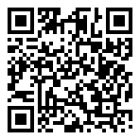
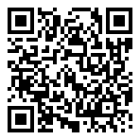
- Always download CoolLED1248 from the official App Store or Google Play listings to get the latest, safe version. Use the download buttons on this page to go straight there.
- The app isn’t working or won’t connect — what can I do?
- Make sure your sign is powered on and nearby, Bluetooth is enabled, and the app has the permissions it asks for. Restarting Bluetooth, the app or your phone resolves most connection issues. Features also depend on your specific hardware model.
01
02
03
04
Download the app
Light up your sign today
Download the free CoolLED1248 app and send your first message in under a minute.
- Free
- iOS & Android
- No account needed
 CoolLED1248 App